Sometimes, you may need to reset your HYDROS Device to factory settings.
Step 1: Power the Unit
Make sure the unit has power. Confirm that the green LED on the power supply is ON.
Step 2: Delete ALL Settings
- Using a small magnet, place it:
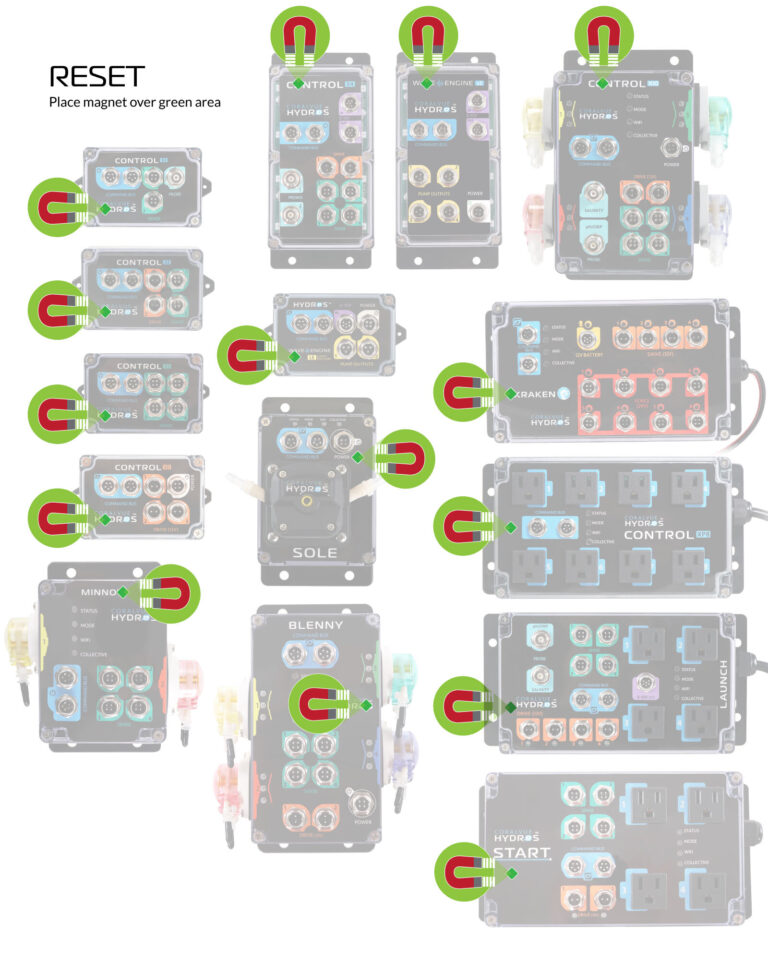
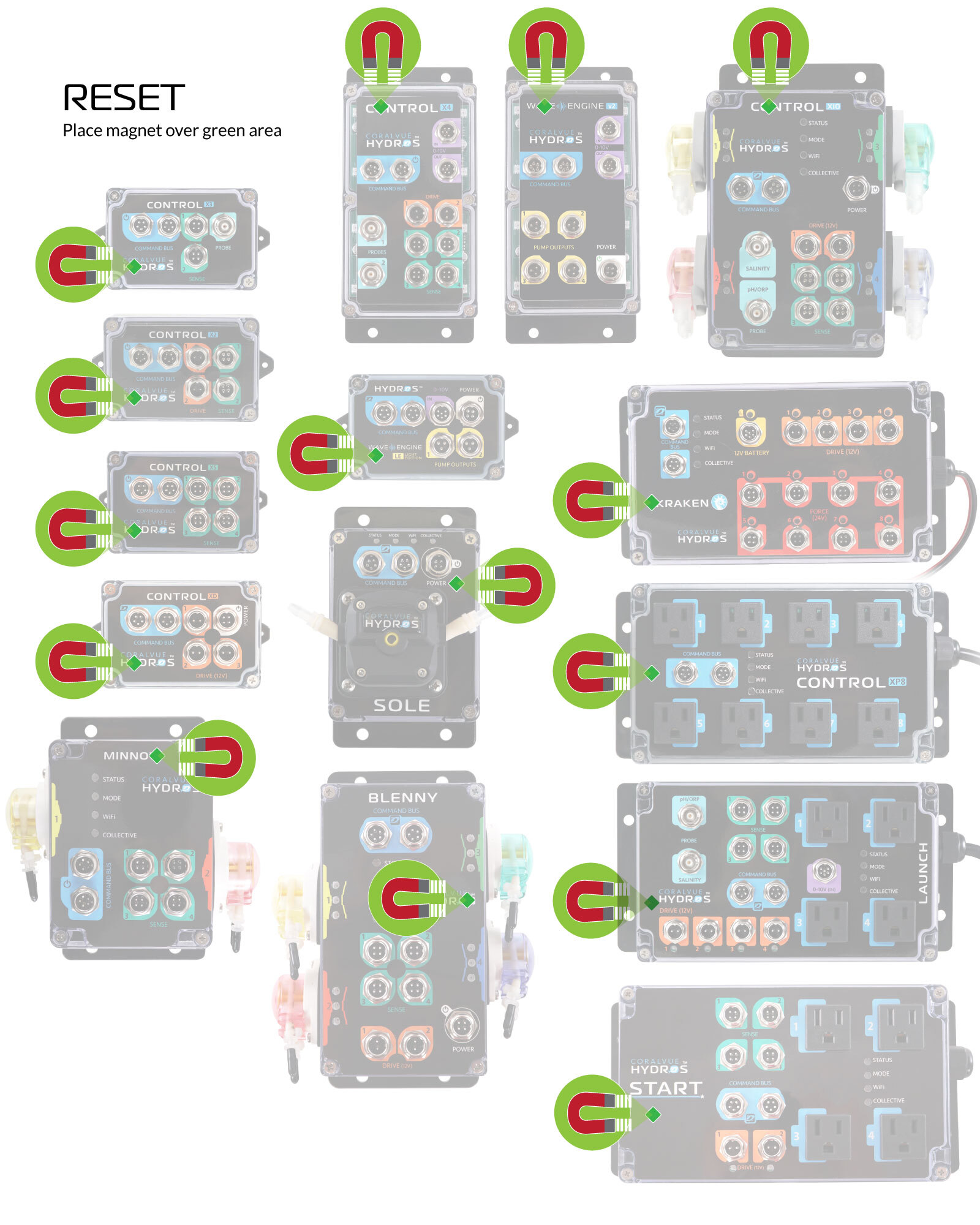
- WaveEngine V1/V2/LE: On top of the letter A on the word WaveEngine
- Control X4/X10: On top of the first instance of the letter “O” in the word Control
- Control X2/X3/XS/XD: Above the letters “RA” of the word CORALVUE located on the lower-left-hand corner
- Control XP8: To the left of the Command Bus Ports (need a strong magnet!)
- Control Sole: To the right of the word “Power.”
- Kraken: On top of the letter K in the word Kraken
 [1]
[1]
- The HYDROS Device should turn the lights ON, and it will show rainbow colors followed by chasing green, then chasing yellow, then chasing red, and then chasing PURPLE
- When you see chasing PURPLE, remove the magnet and allow the controller to restart.
WARNING: Do not worry if the unit does not restart or gets stuck circling the LED color. The reset still worked. All you need to do is power cycle the unit and allow it to reboot.
Step 3: Delete WiFi Settings Only
- Using a small magnet, place it:
- WaveEngine: On top of the letter A in the word WaveEngine
- Control X4/X10: On top of the first instance of the letter “O” in the word Control
- Control X2/X3/XS/XD & WaveEngine LE: Above the letter H of the word HYDROS located on the lower-left-hand corner
- Control XP8: To the left of the Command Bus Ports (need a strong magnet!)
- Sole: To the right of the word “Power.”
- Kraken: On top of the letter K in the word Kraken
[1]
- The controller should turn the lights ON, and it will show rainbow colors followed by chasing green, then chasing YELLOW
- When you see chasing YELLOW, remove the magnet and allow the controller to restart.
WARNING: Do not worry if the unit does not restart or gets stuck circling purple. The reset still worked. All you need to do is power cycle the unit and allow it to reboot.
The controller is now back to factory settings.
If you’d like to reconfigure the controller, please rerun the setup.